
XenSSS Smart Shelf
Used:







Year 2 Semester 2 group project about creating an Internet-of-Things (IoT) system. My team decided on developing something that will help retail businesses, so we first conducted a survey.
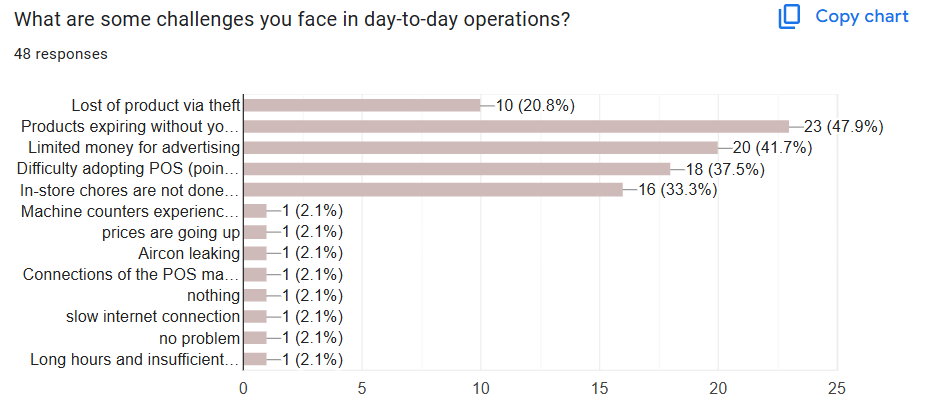
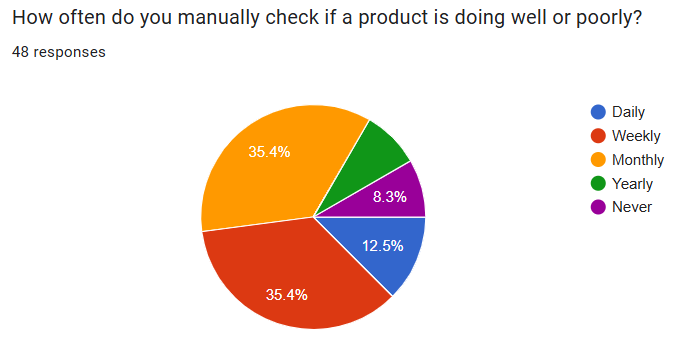
After reviewing the survey results, we settled on a few ideas:
1. Planning system for store chores
2. Robotic item restocker
3. Smart shelf (can advertise, check expiry, and give store owner insights)
4. Item stock scanner (employee uses device to scan item, shows stock of item and sales)
We ended up choosing idea 3 for our project as it was multi-purpose.
1. Planning system for store chores
2. Robotic item restocker
3. Smart shelf (can advertise, check expiry, and give store owner insights)
4. Item stock scanner (employee uses device to scan item, shows stock of item and sales)
We ended up choosing idea 3 for our project as it was multi-purpose.
First, the different functions of the smart shelf had to be separated, each having its own Beagleboard for operation.
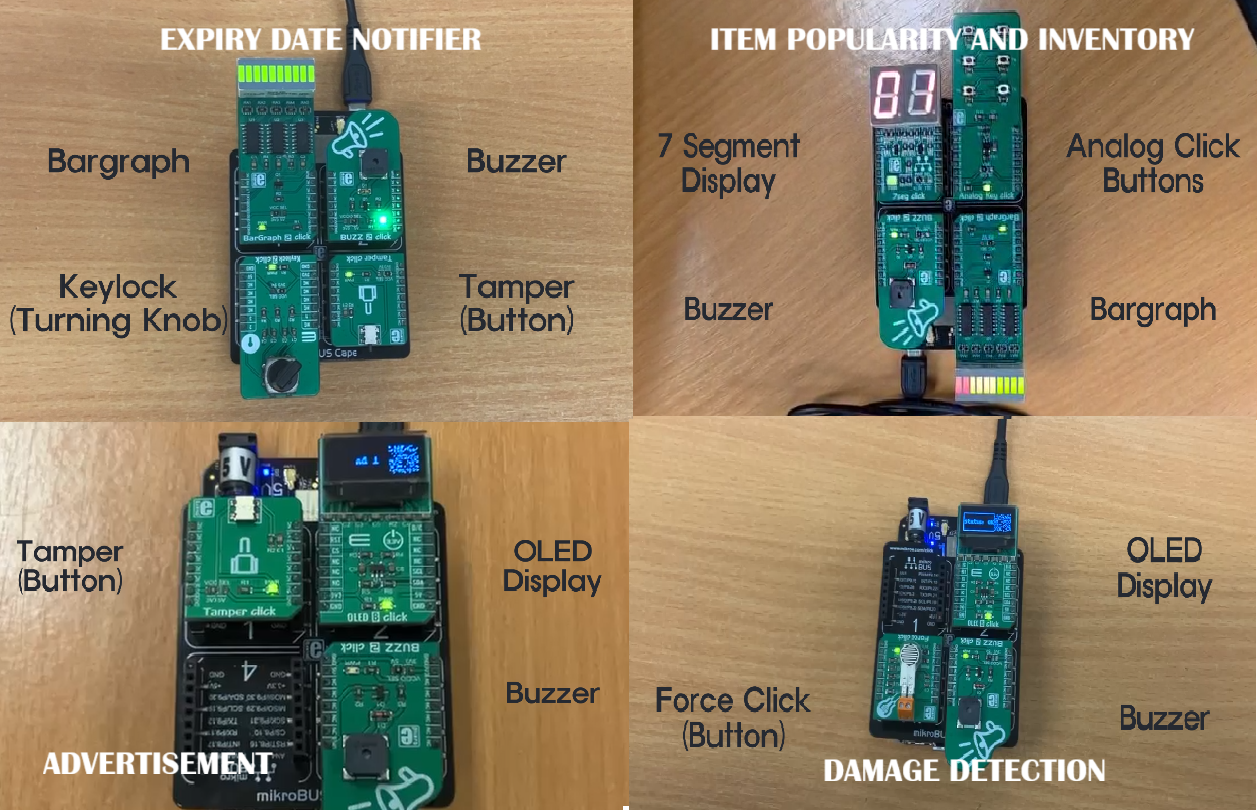
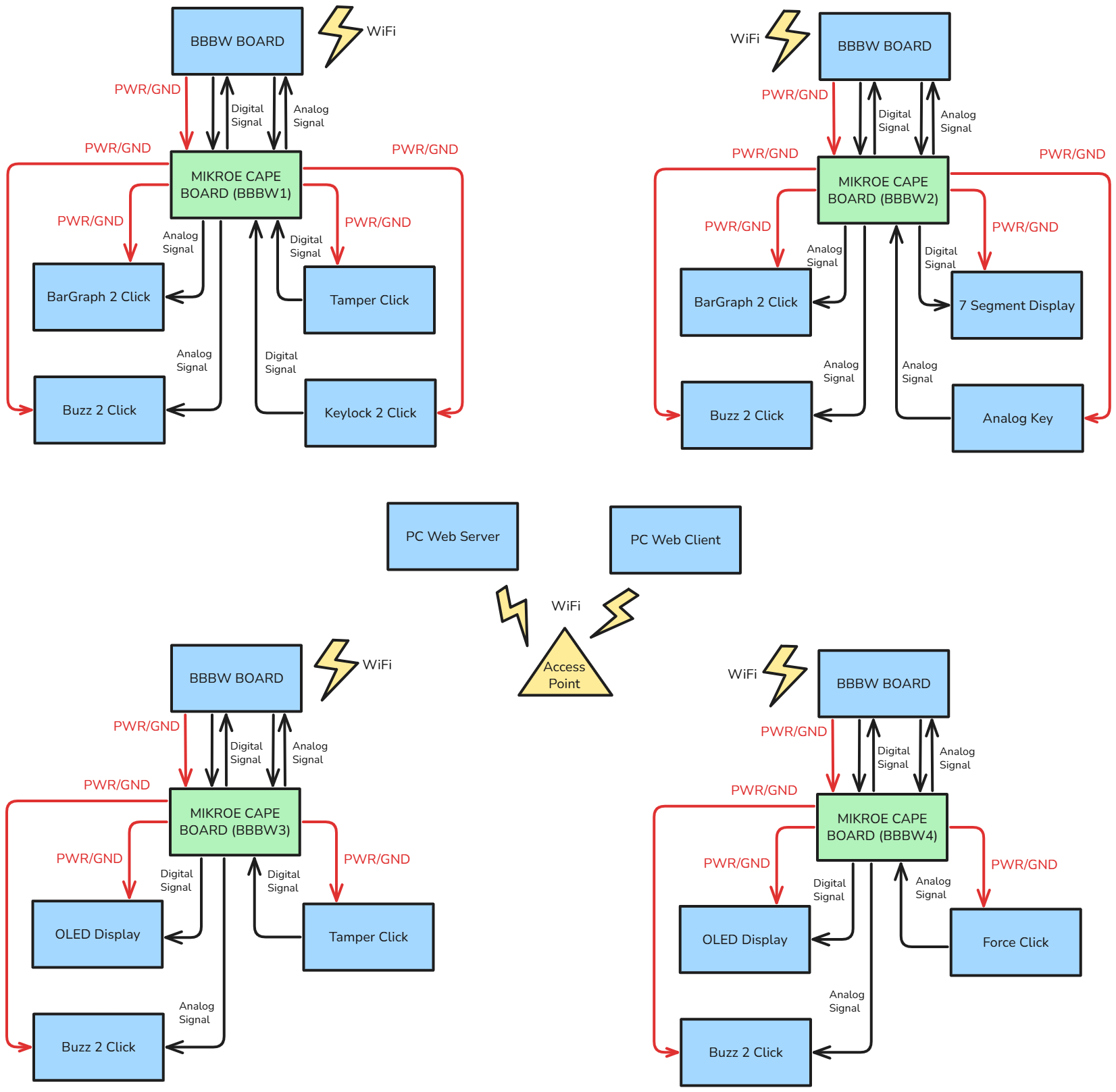
Now, all that has to be done is to send the data from the Beaglebone Black Wireless Boards (BBBW) to a website for the retail business owner to see. This was a complex process of creating a dynamic website.
1. We had to connect the BBBWs to a local Wi-Fi by learning and executing Linux commands.
2. The BBBWs were then programmed in Python on locally hosted Cloud9 IDE website.
3. Using SocketIO, data from the BBBWs were then sent to a "middleman" Python file running on a computer. This uses Flask SocketIO, where the data from the server-side (Python), is sent to the client-side (JavaScript), where the data can be displayed in the website.
4. The dynamic website was then coded and designed.
1. We had to connect the BBBWs to a local Wi-Fi by learning and executing Linux commands.
2. The BBBWs were then programmed in Python on locally hosted Cloud9 IDE website.
3. Using SocketIO, data from the BBBWs were then sent to a "middleman" Python file running on a computer. This uses Flask SocketIO, where the data from the server-side (Python), is sent to the client-side (JavaScript), where the data can be displayed in the website.
4. The dynamic website was then coded and designed.
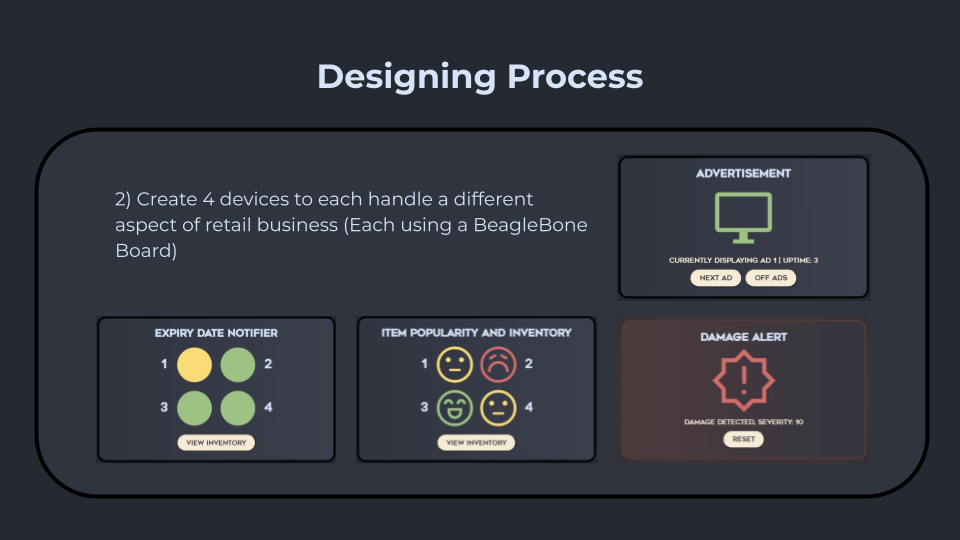
Shelf Page:
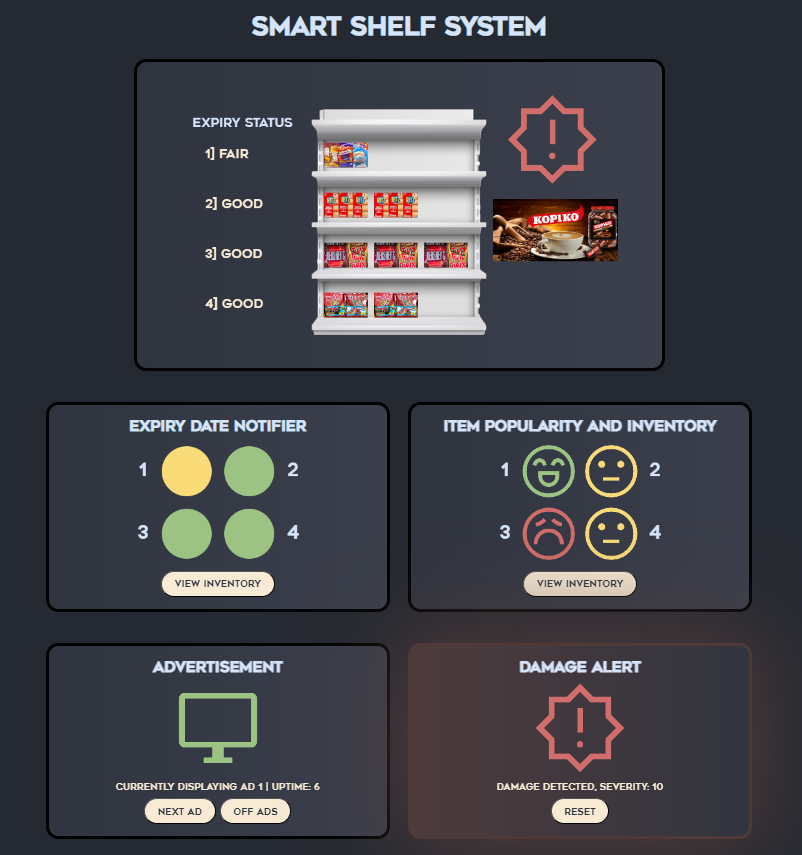
The big container at the top is an overview of all the different information about the shelf. It shows visuals of such as how much of an item is on the shelf or the advertisement being displayed.
The 4 small containers below it correspond to the different BBBWs and their functions. There are buttons to interact with some functions like the advertisement or the damage alert. The icons used are the free-to-use Google Icons as it gives a simple look.
The 4 small containers below it correspond to the different BBBWs and their functions. There are buttons to interact with some functions like the advertisement or the damage alert. The icons used are the free-to-use Google Icons as it gives a simple look.
Home Page:
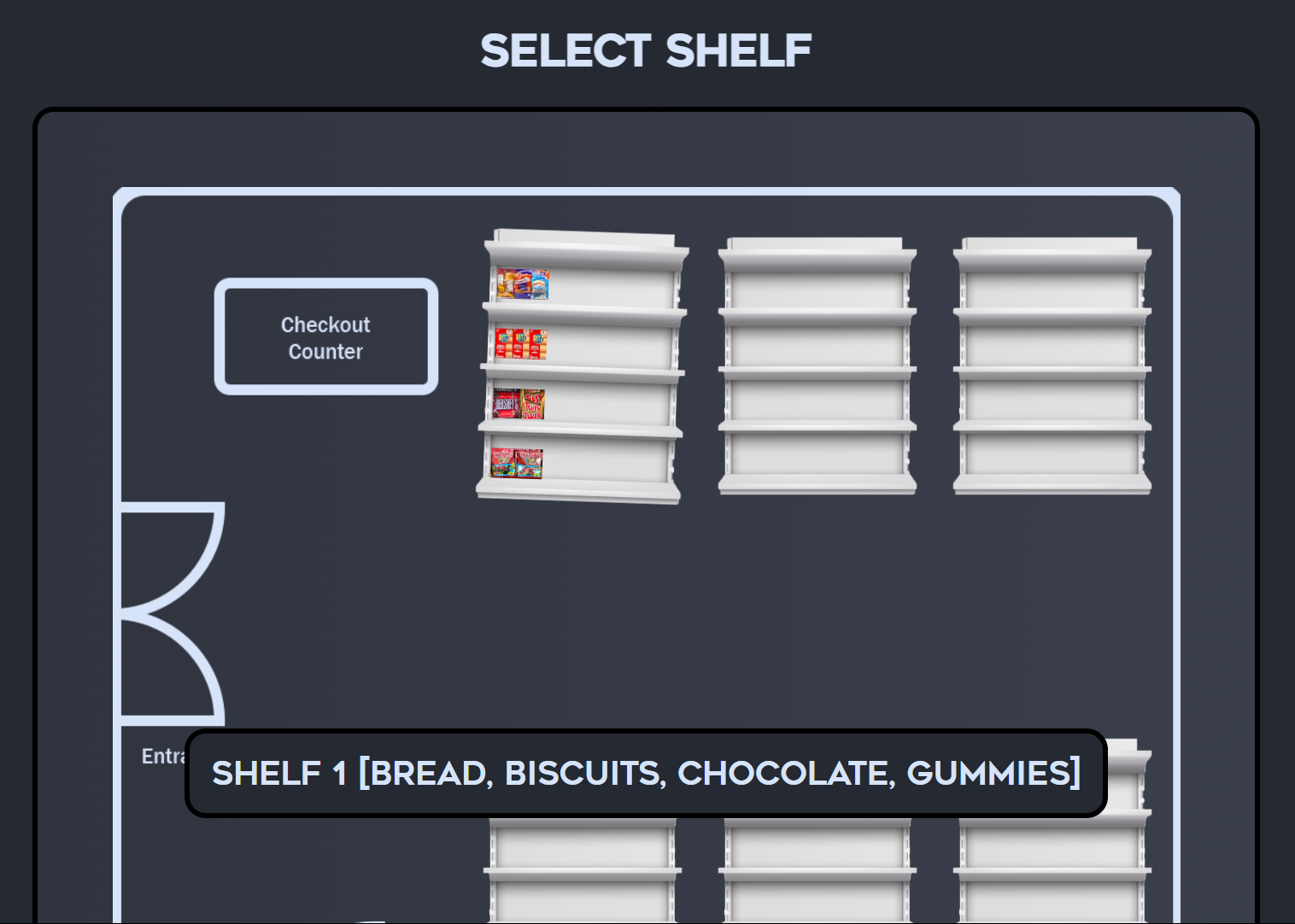
Inventory Page:
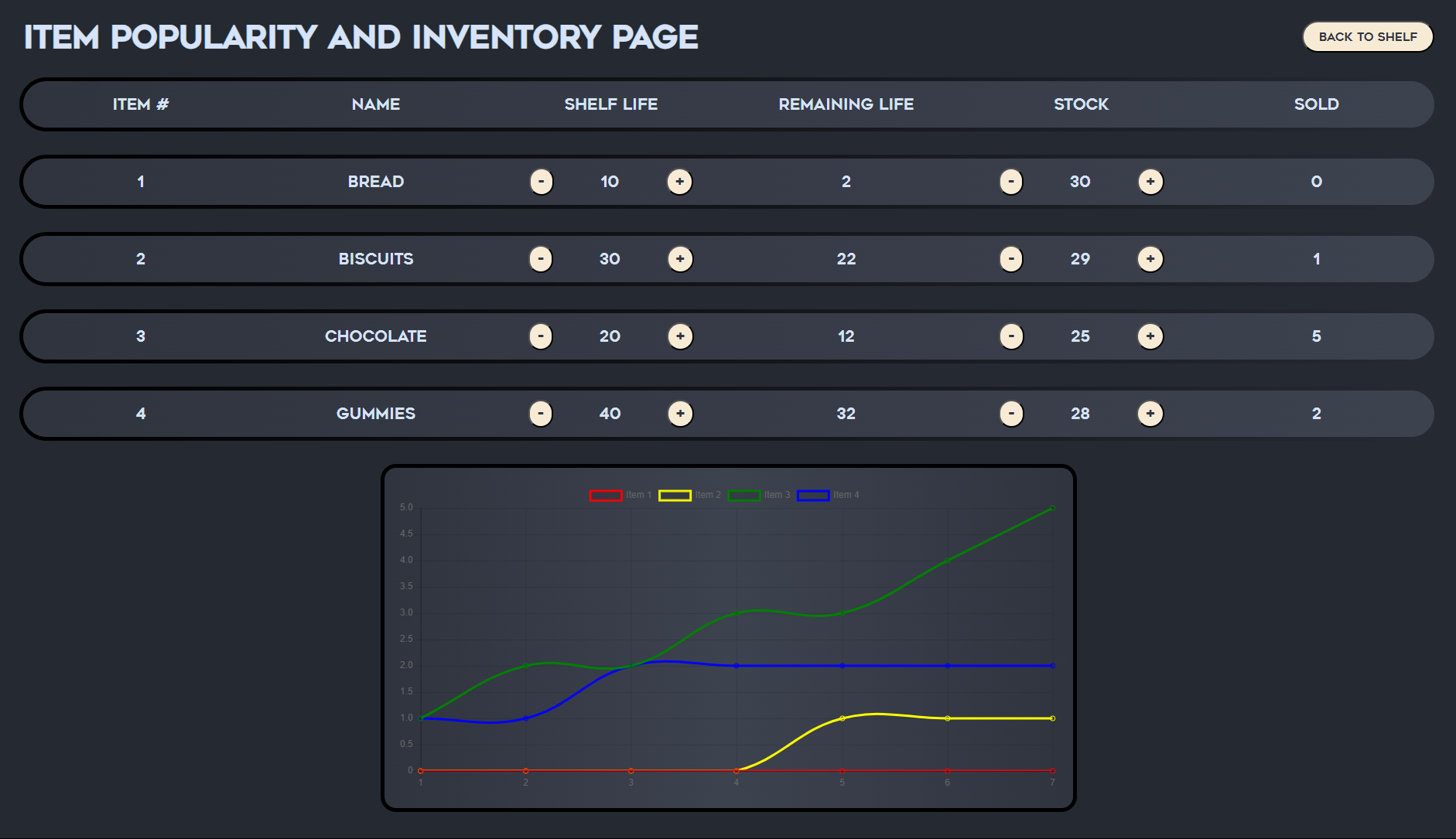
This is the page where all the numbers are displayed. Values like the items' shelf lives and stock can be edited when performing restocking and the data is sent to the BBBWs to update the values.
The graph displays how much of an item has been sold, and I used Chart JS.
In order for some product branding, my team came up with the name Xenon Smart Shelf System, or XenSSS for short. I then crafted a logo using Canva:
The graph displays how much of an item has been sold, and I used Chart JS.
In order for some product branding, my team came up with the name Xenon Smart Shelf System, or XenSSS for short. I then crafted a logo using Canva:
In conclusion for the website, a dark theme was chosen for easier readability for all the values, and a simple modern look matches the idea of making use of technology in daily tasks.
After all of that, there needed to be a project video. This was when I assigned scripts to my teammates and recorded clips to be used.
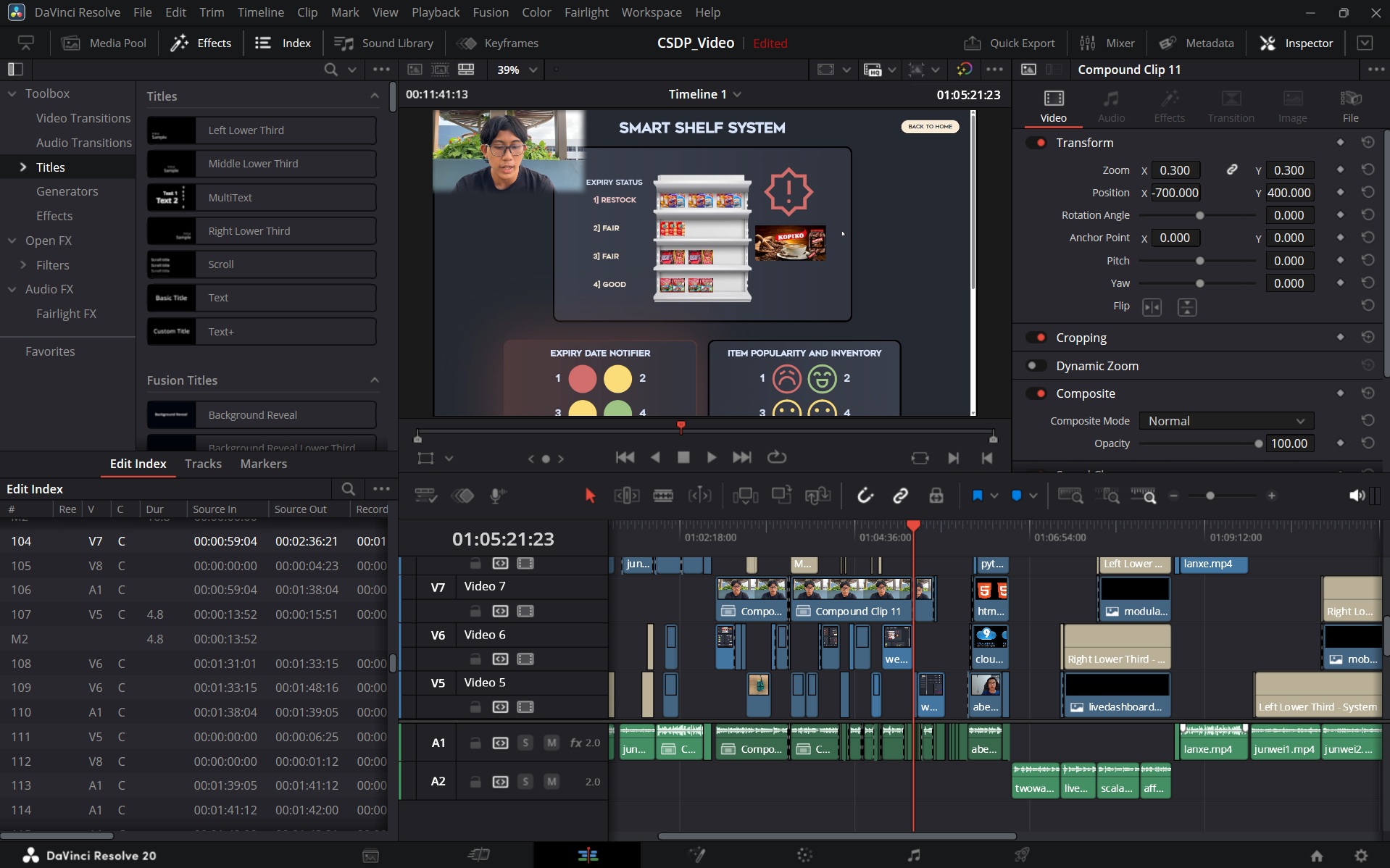
I learnt some Davinci Resolve, and it was my first time video editing. The audio had to be adjusted to be clearer and I did my best to make a video with nice visuals.
I learnt some Davinci Resolve, and it was my first time video editing. The audio had to be adjusted to be clearer and I did my best to make a video with nice visuals.
Final Thoughts:
While it was a team effort, I personally managed and executed the bulk of the work required for these results. This included:
- Planning and assigning tasks for project report
- Assigning each member a function of the smart shelf
- Designing the block diagram
- Merging and quality checking each member's code
- Designing and coding the dynamic website
- Transmission and recieving of data between BBBWs and website
- Creating the project video
- Planning and assigning tasks for project report
- Assigning each member a function of the smart shelf
- Designing the block diagram
- Merging and quality checking each member's code
- Designing and coding the dynamic website
- Transmission and recieving of data between BBBWs and website
- Creating the project video
Then again, the website can be viewed here
Challenges faced and lessons learnt:
1. Being a team leader means being responsible for the final result of the project. I learnt that work needs to be distributed based on people's capabilities and I felt that I have potentially overworked myself.
2. I designed this website before I knew about Figma. Having knowledge about this tool now, the designing process would have been a bit easier.
1. Being a team leader means being responsible for the final result of the project. I learnt that work needs to be distributed based on people's capabilities and I felt that I have potentially overworked myself.
2. I designed this website before I knew about Figma. Having knowledge about this tool now, the designing process would have been a bit easier.