Grocery Store Interface
Used:


This is my first school programming project, done in Year 1 Semester 1. It was a group project and I had to work in a team of 3. My team members were Lanxe and Kishore.
In order for the 3 of us to work on the code simultaneously, we decided to work on the programming project on Google Colab.

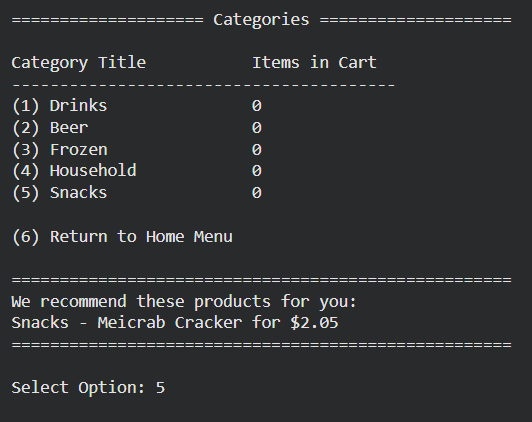
We were required to create a list of all the given grocery items, IDs, and their prices. Users should be able to purchase these products on an easy to navigate shopping interface. The first thing to do was to categorise each item, and so we made a page for users to see the category and number of items bought from them.
An item recommender was added, recommending a random item the user has not added to cart yet.
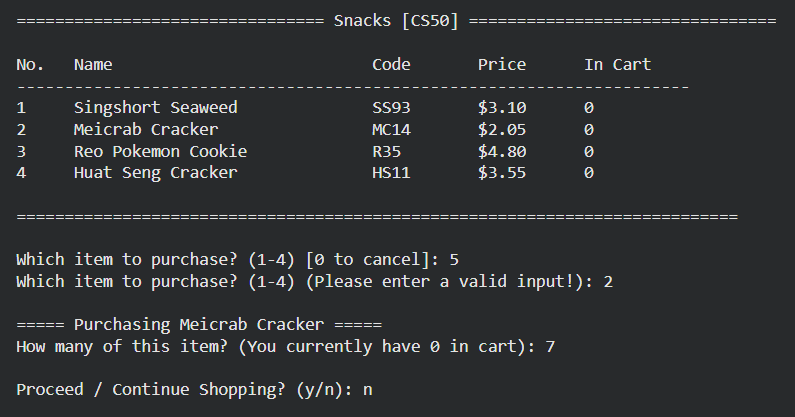
After selecting a category, the interface displays the items, their codes, price, and how many the user has added to cart. There is also a validity check so users cannot enter invalid item numbers or values.
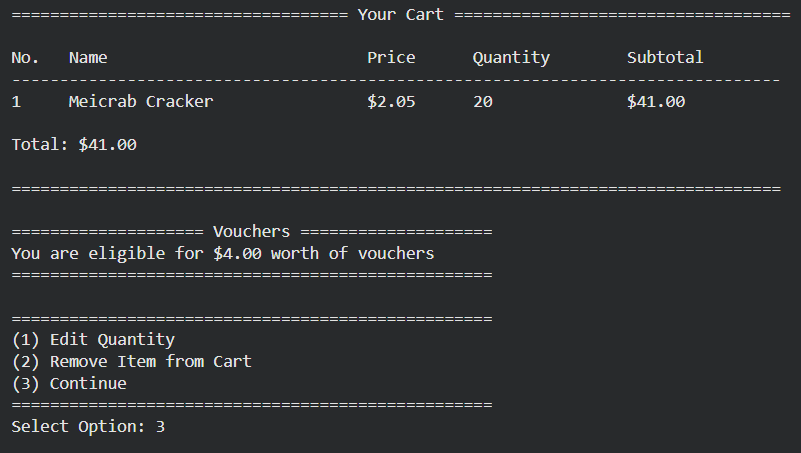
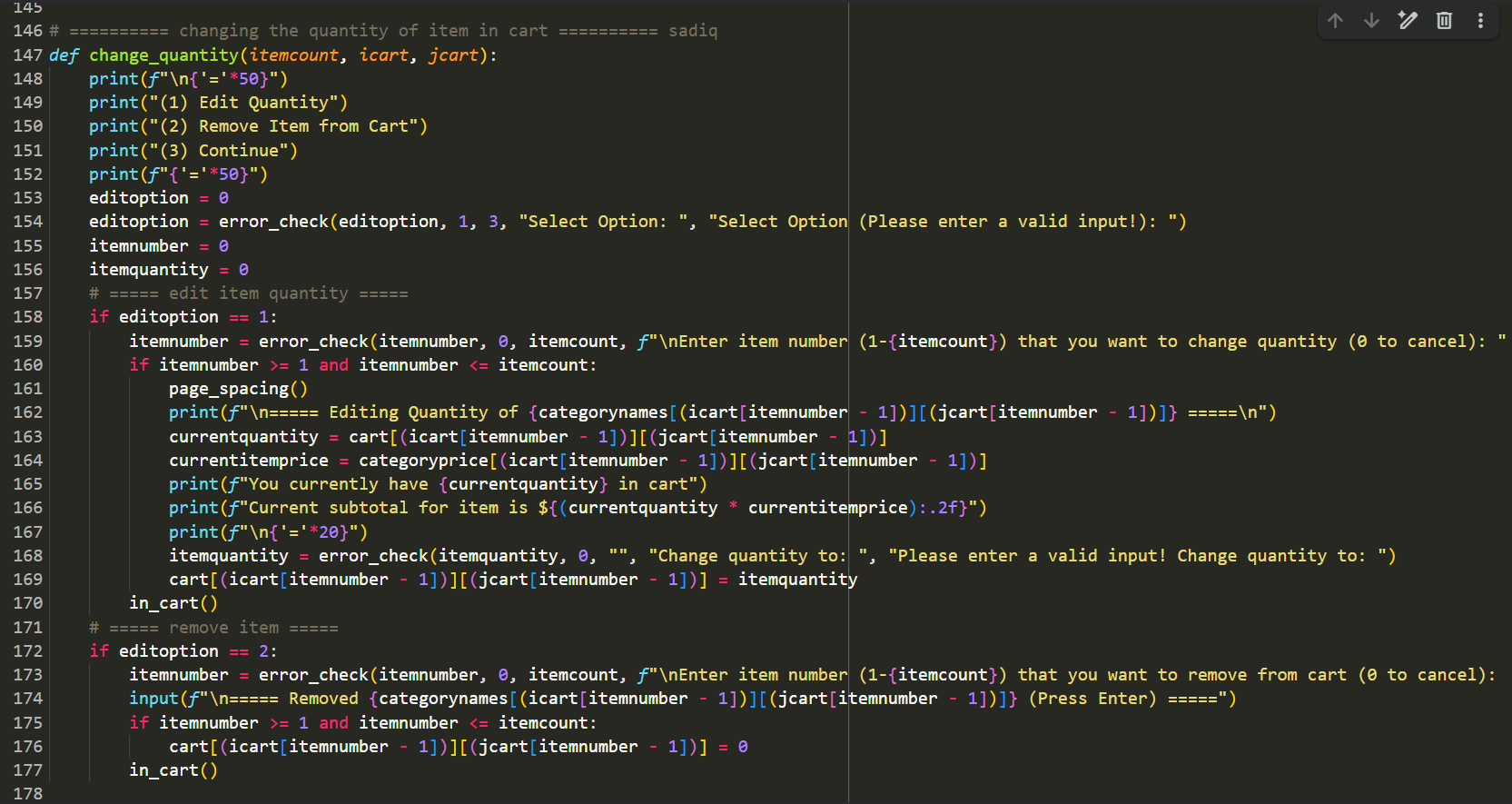
The cart page displays the subtotal of the items added and provides the user with 3 choices: to edit the quantity of an item, remove it, or continue to the checkout.
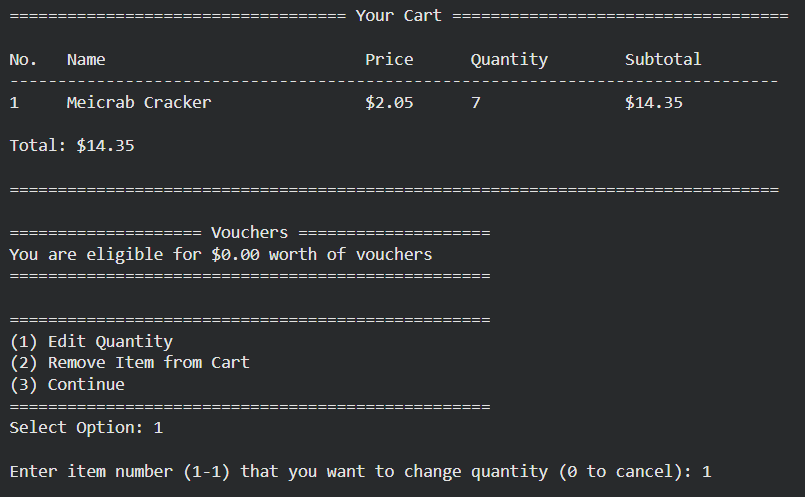
When editing an item's quantity:
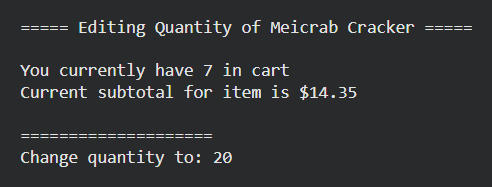
A voucher system was also created, where a $2 voucher is given for every $20 spent.
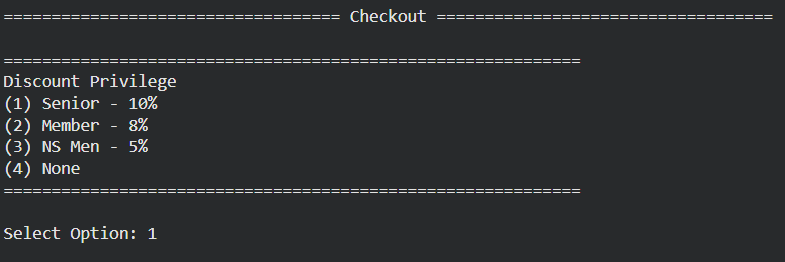
In the checkout page, realistically there would be different discount/member options, so we added that in too.
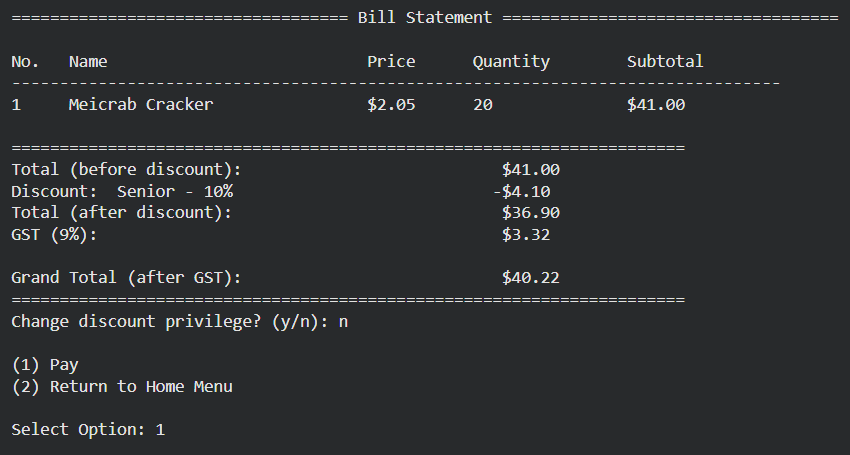
Finally at the end of the shopping experience, a comprehensive bill statement is generated stating the total, discounts, and tax.
Challenges faced and lessons learnt:
1. Dealing with multiple nested lists were quite difficult. A lot of brainstorming was needed to figure out how to extract and edit data in lists properly for each function. Each variable had to be named for easy code readability.
2. Interconnecting all the different pages together. The functions for each page had to be organised and nested in a way that navigating in and out of each function was easy.
3. Merging different ideas and codes between teammates. Everyone's codes had to flow with others seamlessly and thus quality control had to be done. I volunteered to take up that task and edited each code's variable names, organised the logic, and wrote comments for better understanding.
1. Dealing with multiple nested lists were quite difficult. A lot of brainstorming was needed to figure out how to extract and edit data in lists properly for each function. Each variable had to be named for easy code readability.
2. Interconnecting all the different pages together. The functions for each page had to be organised and nested in a way that navigating in and out of each function was easy.
3. Merging different ideas and codes between teammates. Everyone's codes had to flow with others seamlessly and thus quality control had to be done. I volunteered to take up that task and edited each code's variable names, organised the logic, and wrote comments for better understanding.
The code is available for reading and trying out here.
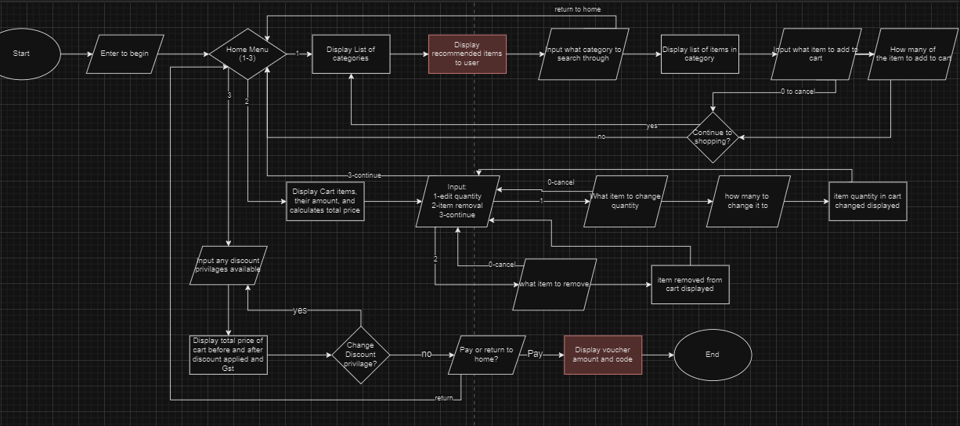
Below is a flowchart of events in our grocery store interface, for further reading you can check out the presentation slides here.